

Shipping and fulfillment analytics, down to the package
Insights by Techdinamics gives your team dashboards for orders, shipping costs, carrier performance, fulfillment, and profitability. Filter the data, share it with clients, and trace a late delivery back to the package behind it.
Built around the questions fulfillment teams ask every day
Costs & Clients
- Which carriers, services, and destinations account for most of our spend?
- How does package weight affect what we pay?
- What do we bring to this month’s business review?
- How do our markups compare with carrier costs for each client?
Carriers & Deliveries
- Which carriers deliver on time in each state?
- Was that package late, or did it miss a cutoff or pickup?
- Which carriers have the most exceptions?
- Which packages were returned, canceled, or failed delivery?
Orders & Packaging
- How does shipping cost compare with order value?
- Which SKUs keep causing backorders?
- How many box sizes do we use for our most-shipped SKU?
- Are we paying to ship empty space?
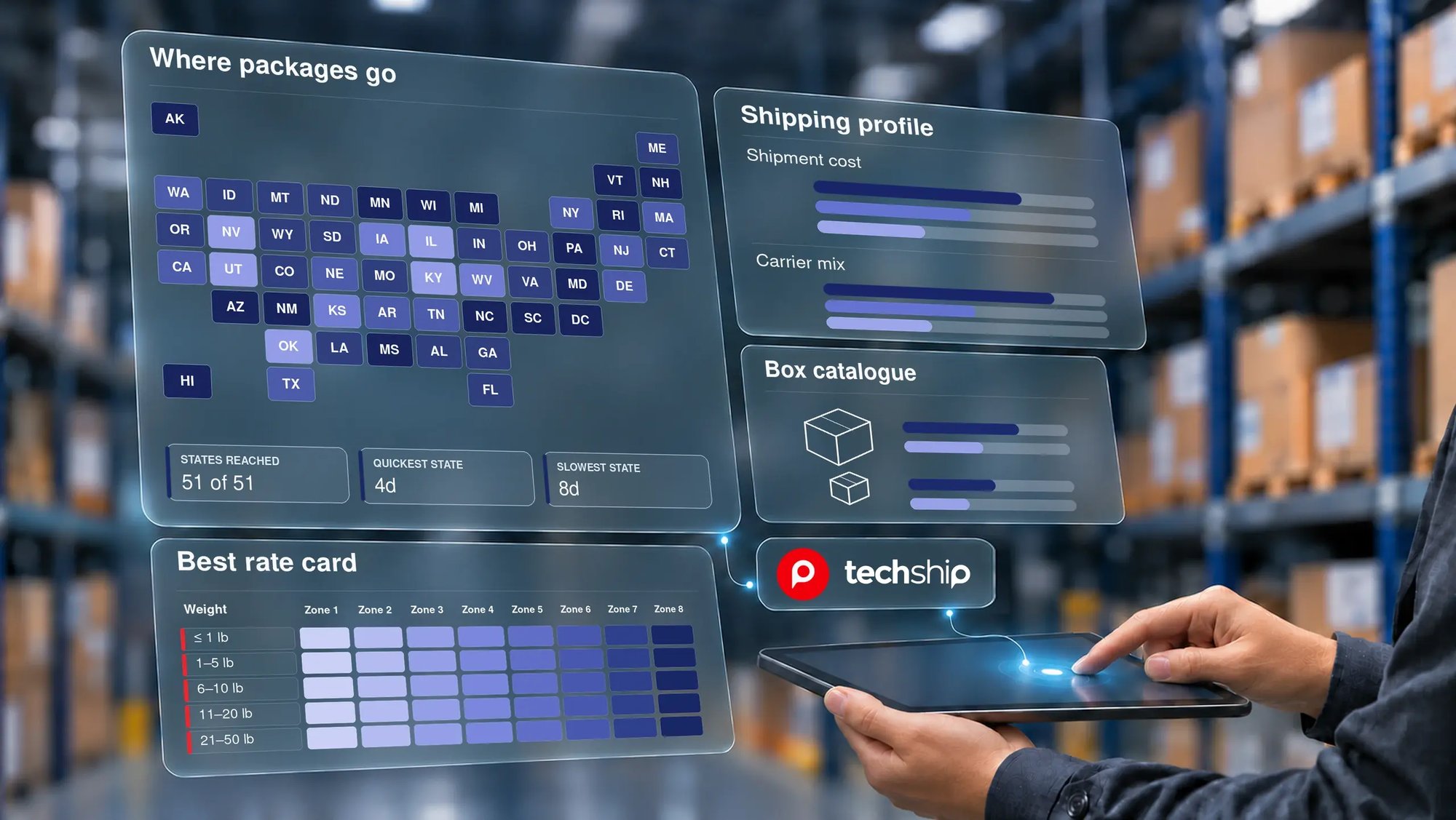
Dashboards for every part of your operation
Shipping Insights
In techSHIP, Insights covers spend and cost breakdowns, delivery performance and exceptions, late inductions, carrier comparisons, client-facing shipping reports, and packaging analysis by SKU, along with a high-level executive overview.
Dashboards: Shipment Profile, Delivery Performance, Late Induction, Executive Overview, Client Shipping Profile, Carrier Performance, Box Catalogue, and Best Rate Card.
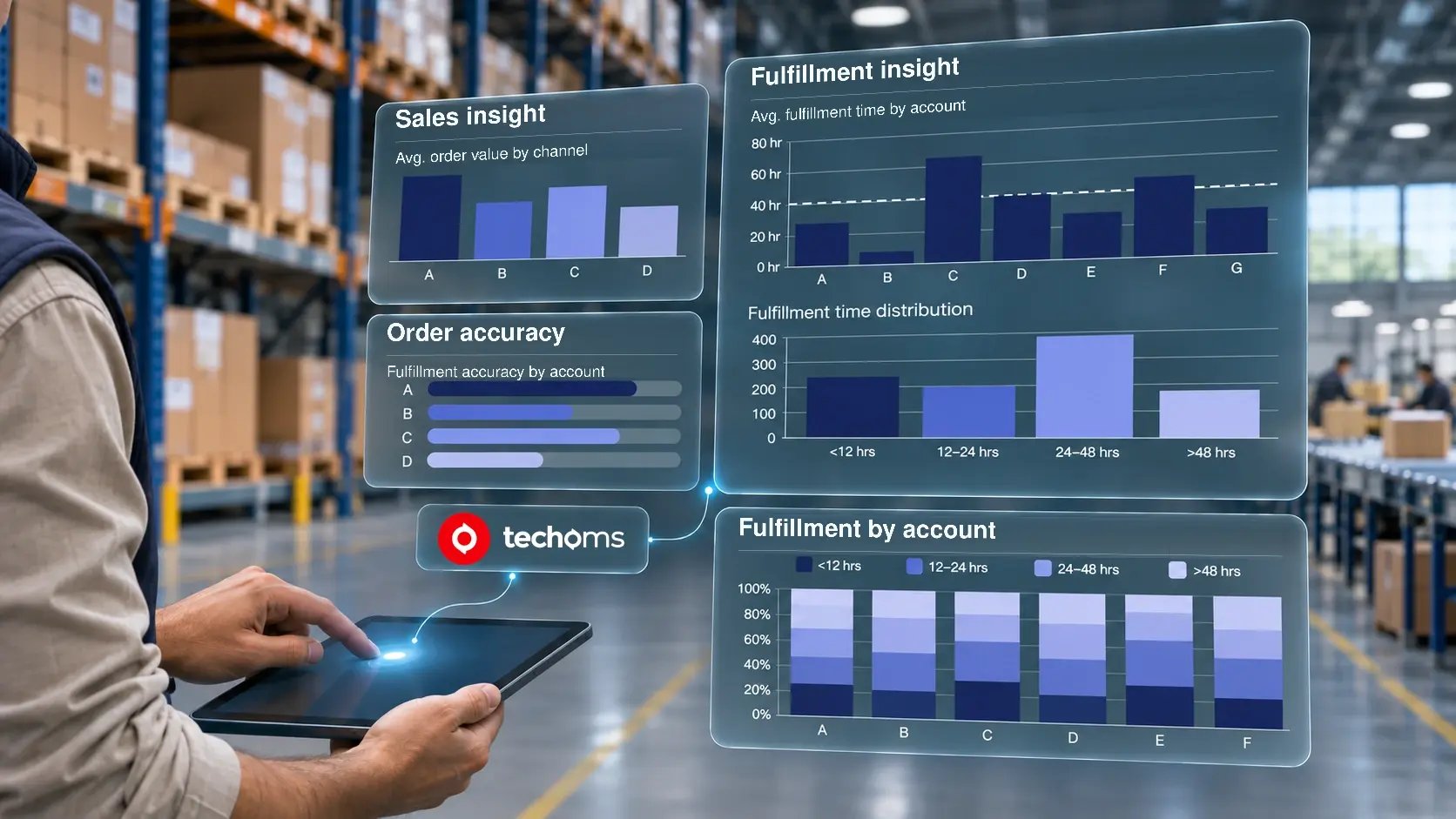
Order Management Insights
In techOMS, Insights covers the order side of your operation: business health, sales and channel performance, fulfillment speed and accuracy, shipping costs against order value, and profitability by SKU and over time.
Dashboards: Organizational Insight, Sales Insight, Fulfillment Insight, Shipment Performance, Item Profitability Report, and Summary Profitability Report.
Follow every number down to the package
Dashboards show you where to look. Your team can also look up the tracking numbers behind a result and review each package individually.
Confirm whether a package was handed to the carrier on time or inducted late.
See whether a shipment missed a cutoff or pickup.
Check whether a late delivery was late under the carrier's terms.
Gather the details you need to file a claim or confirm that the carrier met its agreement.
See which user processed an order or shipment, when each warehouse user has their own login, and use it to target training.
Get the most out of your data
On-the-fly filters
Narrow any dashboard by client, carrier, service, destination, or date. Click a bar or a map region and the related charts update with it.
Export and share
Export any dataset with your filters applied, or print it, and bring the numbers to client reviews and carrier negotiations.
Detailed views
Expand a chart to see the data behind it, hover for item-level details, or switch between chart and table view.
Updated throughout the day
Data refreshes regularly inside the platform you already use, so nobody has to wait for a report to be pulled.
Insights FAQs
What is Insights?
Who is Insights for?
Which dashboards does Insights include?
Do I need a separate BI or reporting tool to use Insights?
Can I share Insights data with my clients?
Can I investigate a specific package?
Has Insights received industry recognition?
How do I get started with Insights?
Latest Blogs
Why Your Quoted Shipping Cost Doesn't Match Your Carrier Invoice

Why Do You Need an OMS If You Already Have an ERP?

How to Prepare for Peak Season 2026 Before the Rush Hits
Ready to fulfill smarter?
Talk to our team and see what Insights can show you about your data.